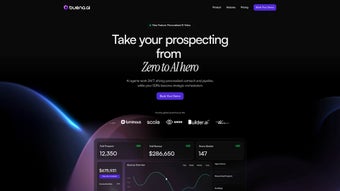

Download Buena AI – AI‑Powered Sales Outreach, Lead Generation, and CRM Integration Tool
Introduction: Why Modern Sales Teams Need an AI Assistant
In today’s hyper‑competitive B2B landscape, the margin between a cold email that lands in the trash and one that sparks a conversation can be razor‑thin. Sales professionals are forced to juggle prospect research, personalized messaging, multi‑channel outreach, and rigorous pipeline tracking—all while keeping their CRM data clean and up‑to‑date. Traditional sales enablement tools often excel at one piece of this puzzle but fall short when it comes to delivering a truly unified, data‑driven experience. That’s where Buena AI steps in.
Buena AI is built from the ground up to act as an intelligent co‑pilot for sales teams. By combining advanced natural‑language processing, real‑time data mining, and deep integrations with the world’s leading CRMs, the platform transforms raw prospect information into actionable outreach scripts that feel handcrafted yet scale effortlessly. The result is higher reply rates, shorter sales cycles, and a measurable boost in revenue‑per‑rep.
This review breaks down every critical aspect of the software—from its core AI capabilities and security posture to the onboarding journey and real‑world pros and cons—so you can decide whether Buena AI is the right investment for your organization. Whether you’re a startup looking for a cost‑effective way to automate outreach or an enterprise seeking a secure, compliant solution, the insights below will help you make an informed choice.
Overview: Core Capabilities and Feature Set
Buena AI is a cloud‑based, subscription‑driven platform that reshapes how sales teams connect with prospects. Leveraging cutting‑edge artificial intelligence, the application analyses massive datasets to reveal each potential customer’s communication style, buying triggers, and preferred channels. This insight equips sales representatives with hyper‑personalized outreach scripts, email templates, and conversation starters that resonate on a personal level, dramatically raising reply rates and shortening sales cycles.
Beyond intelligence, Buena AI prides itself on seamless integration with the most popular CRM solutions—Salesforce, HubSpot, Zoho, and Microsoft Dynamics—so that data flows both ways without manual entry. The platform also supports multi‑user environments, letting managers assign AI agents to specific campaigns, monitor performance in real time, and collaborate through shared workspaces. Security is baked into the architecture: data is encrypted at rest and in transit, and compliance certifications (ISO 27001, GDPR) assure enterprises that sensitive lead information remains protected.
Scalability is another cornerstone. Whether a boutique startup with a handful of reps or a global enterprise with thousands of users, Buena AI automatically adjusts compute resources, ensuring fast response times even during peak outreach periods. The subscription model offers tiered pricing, allowing organizations to start small, evaluate ROI, and expand as the AI‑driven approach proves its value.
- AI‑Driven Prospect Profiling: Real‑time analysis of public data, social signals, and past interactions to generate a 360° view of each lead.
- Personalized Outreach Templates: Dynamically generated email subject lines, scripts, and LinkedIn messages that match the prospect’s tone and interests.
- Two‑Way CRM Sync: Native integrations with Salesforce, HubSpot, Zoho, Microsoft Dynamics, and Pipedrive eliminate duplicate data entry.
- Collaborative Workspace: Shared AI agents, task assignment, and performance dashboards for managers and reps alike.
- Real‑Time Sales Analytics: Live dashboards showing open rates, reply ratios, pipeline velocity, and AI confidence scores.
- Multi‑Channel Automation: Coordinated outreach across email, LinkedIn, SMS, and voice calls from a single interface.
- Data Security & Compliance: End‑to‑end encryption, role‑based access controls, ISO 27001 and GDPR certifications.
- Auto‑Scaling Cloud Architecture: Handles spikes in outreach volume without latency.
- Continuous Learning Engine: Refines models based on each interaction, improving recommendation accuracy over time.
- Custom Reporting: Exportable CSV, PDF, and API endpoints for integration with existing BI tools.
Each feature is designed with the sales funnel in mind. For instance, AI‑driven prospect profiling feeds directly into the personalized outreach templates, ensuring that every message feels hand‑crafted while being generated at scale. The integration hub means that once a lead is qualified, it can be pushed automatically into the appropriate sales stage in the CRM, triggering follow‑up tasks without any manual steps. Meanwhile, the real‑time analytics give managers a pulse on campaign health, allowing quick pivots when a particular message type underperforms.
Buena AI also distinguishes itself with a collaborative environment. Sales managers can create “AI agents” for specific market segments—like enterprise software or SaaS startups—assign them to reps, and monitor each agent’s success metrics. This fosters a culture of data‑driven experimentation, where teams can A/B test different outreach strategies and instantly see which approach yields the highest conversion rates.
Installation, Usage Instructions, and Compatibility
Getting Started – Simple, Secure Onboarding
Because Buena AI is a web‑based SaaS product, there is no traditional “installation” required on the user’s device. The onboarding process begins with a secure sign‑up on the official website (www.buena.ai). After selecting a subscription tier, users receive an email invitation to create their account and set up two‑factor authentication (2FA) for added security.
A guided setup wizard walks admins through the following steps:
- CRM Connection: Choose your CRM from the list, authorize OAuth access, and map key fields (lead name, email, status).
- Team Structure: Add users, assign roles (admin, manager, rep), and configure AI agent allocations.
- Data Import: Upload existing prospect lists via CSV or connect to a data warehouse for bulk import.
- AI Preference Settings: Define tone preferences (formal, casual), industry keywords, and outreach cadence limits.
- Compliance Checks: Review and accept data‑processing agreements to ensure GDPR and CCPA compliance.
After the wizard completes, the dashboard becomes available. From here, reps can select a target segment, let the AI generate outreach sequences, and launch campaigns across multiple channels with a single click.
Platform Compatibility
Buena AI is built on responsive web technologies, making it fully compatible with any modern browser on Windows 10/11, macOS Ventura and later, Linux distributions, as well as mobile browsers on iOS 14+ and Android 9+. Because it runs in the cloud, there are no OS‑specific client installations, ensuring that teams can work from desktops, laptops, tablets, or smartphones without loss of functionality.
The platform also offers a lightweight desktop shortcut (PWA) that can be “installed” on Windows or macOS for an app‑like experience, complete with offline caching of previously loaded dashboards. For power users, an API is available for integration with custom internal tools, enabling programmatic access to lead scoring, template generation, and analytics data.
Overall, the lack of heavy client software and the emphasis on browser‑based access dramatically reduce IT overhead, while the responsive design guarantees a consistent experience across devices.
Pros and Cons – A Balanced Look at Buena AI
Advantages
- Deep AI‑driven insights that personalize outreach at scale.
- Seamless two‑way integration with leading CRM platforms.
- Robust security features, including encryption and compliance certifications.
- Real‑time analytics and dashboards for immediate performance monitoring.
- Scalable cloud infrastructure that adapts to any team size.
- Collaborative workspaces that foster team alignment and shared learning.
- Responsive design works across Windows, macOS, Linux, iOS, and Android.
- Continuous learning engine improves recommendation accuracy over time.
Drawbacks
- Subscription pricing may be steep for very small startups with limited budgets.
- Initial AI model training requires a modest amount of high‑quality data to reach peak performance.
- Learning curve for sales teams unfamiliar with AI‑generated content.
- Dependence on internet connectivity; offline capabilities are limited to cached dashboards.
- Advanced customization of AI logic (e.g., custom scoring algorithms) is only available on higher‑tier plans.
Conclusion & Frequently Asked Questions
In an era where personalization is the key to breaking through inbox noise, Buena AI equips sales organizations with the technology to craft data‑driven, highly relevant outreach at scale. Its combination of AI‑powered prospect analysis, seamless CRM integration, and collaborative workspaces creates a unified environment where every team member can act on real‑time insights without juggling multiple tools.
While the pricing may be a consideration for early‑stage startups, the measurable boost in reply rates, shortened sales cycles, and improved pipeline visibility often delivers a rapid ROI that justifies the investment. Moreover, the platform’s strong security posture and compliance certifications make it a safe choice for enterprises handling sensitive customer data.
Ready to transform your sales outreach? Start your free 14‑day trial today and experience firsthand how AI can supercharge your lead generation and conversion efforts.
Is Buena AI a cloud‑only solution, or can it be hosted on‑premises?
Buena AI is offered exclusively as a cloud‑based SaaS platform. This model ensures automatic updates, scalability, and the highest level of data security without the need for on‑premises infrastructure.
Which CRM systems does Buena AI integrate with?
Native two‑way sync is available for Salesforce, HubSpot, Zoho CRM, Microsoft Dynamics 365, and Pipedrive. Additional CRMs can be connected via the REST API.
How does Buena AI ensure data privacy and compliance?
All data is encrypted both at rest and in transit using AES‑256 and TLS 1.3. The platform complies with GDPR, CCPA, and ISO 27001 standards, and offers data‑processing agreements for enterprise customers.
Can I try Buena AI before committing to a subscription?
Yes, a 14‑day free trial is available. The trial provides full access to all features, allowing you to evaluate the AI’s impact on your outreach before selecting a paid plan.
What kind of support does Buena AI offer?
Customers receive 24/7 email support, live chat during business hours, and a dedicated success manager for Enterprise plans. A comprehensive knowledge base and video tutorials are also available.



.png)



